A ComfyUI custom node set to refine and improve the quality of small faces in MiniMax H3 video.
MiniMax H3 renders faces poorly when the head occupies a small fraction of the frame. This is a property of head-size-in-frame, not of output resolution, so it persists at 720p and above. These nodes detect the face on every frame, crop to it so it fills a canvas, let H3 re-generate it, and composite the result back into the original video.
Modelled on Impact Pack's FaceDetailer, adapted from stills to video.
Source on the left, refined on the right:
Single frame at full resolution:
| Source | Refined |
|---|---|
The reason it works is what H3 is handed. Instead of a distant head a few dozen pixels tall, it gets the face tracked and normalized to fill the canvas:
| Crop in: what H3 sees | Crop out: what H3 returns |
|---|---|
| full-res still | full-res still |
These two are what to watch for temporal behaviour: the box has to sit still on a moving subject, or the refined face boils.
H3 Load Video + Face Select is new. It loads the video, finds
every face and every hard cut in one pass, and settles which face is the subject before the graph
runs, so the tracker never detects the same video twice. It brings two interactive surfaces with it:
Pick faces, for choosing the subject per shot by eye, and
Preview coordinates, for checking where an X, Y lands.
That node adds one dependency: PySceneDetect
(scenedetect>=0.7), which installs automatically with the pack. It backs
cut_detection = auto (pyscenedetect) on both the new node and H3 Face Track + Crop, finding
the hard cuts in a clip. Cuts matter because a cut renumbers every face and breaks continuity:
with them known, the subject is chosen once per shot and the smoothing, interpolation and
composite fade all run per shot instead of being dragged across the join. It is fed frame by frame
from the decode pass that is already running, so it costs no second decode of the video.
cut_threshold is PySceneDetect's own adaptive default of 3.0.
It is a soft dependency in practice: if it is missing or fails to import, the run does not stop.
The video is treated as a single shot and the report says so — cut detection unavailable, treating the video as one shot.
H3 Per-Frame Denoise now takes and returns MODEL. A per-frame mask
needs two changes to the model rather than the latent, so the node must sit in the model path and
its model output has to reach the guider. Its two strength widgets were renamed
denoise_multiplier_small_face and denoise_multiplier_large_face, which is what they always were.
This breaks workflows saved against 1.0.0.
modelis a required input, so an old graph fails validation withRequired input is missing: modeluntil you route the model through the node and take itsmodeloutput onward to the guider. Nothing else in this release requires rewiring.
H3 Face Track + Crop gained a frame_count output to wire into the H3
node's length, a face_pick input for the node above, absent_shots for skipping shots the
subject is not in, identity_model for choosing how faces are compared, cut detection, and the
expanded select list below.
select went from two modes to nine. 1.0 offered largest and most_central; there are now
largest_face, smallest_face, left_most, right_most, top_most, bottom_most, centre_most,
closest_to_xy and detector_score, with direction in the name rather than a separate order widget.
Saved workflows migrate on load: largest becomes largest_face, most_central becomes
centre_most.
canvas_width / canvas_height now default to 768, H3's native short edge, rather than 512.
The auto canvas modes now clamp up to a minimum of 512×512. They size the canvas from the
largest crop, and the crop is bounded by the source frame, so on a small face in a low-resolution
clip the canvas used to track the crop down to a couple of hundred pixels — handing H3 the same
small face it renders badly. manual is unaffected and still takes whatever you type.
Clone into ComfyUI/custom_nodes/:
git clone https://github.com/Carasibana/ComfyUI-H3-FaceRefine.gitRestart ComfyUI. The nodes appear under MiniMax H3/Face Refine.
For the nodes themselves:
| ComfyUI with MiniMax H3 support | H3's own nodes are core (comfy_extras/nodes_minimax_h3.py), not an add-on, you just need a build recent enough to have them |
| a face detector | e.g. face_yolov8m.pt in models/ultralytics/bbox/. The one thing you must supply yourself. For anime, use an anime face model instead. The nodes find it there on their own; the example workflows additionally need the folder registration described below, because their stored detector values carry its bbox\ prefix |
Python packages (ultralytics, scipy, insightface, scenedetect) install automatically
from requirements.txt / pyproject.toml. scenedetect is PySceneDetect, used only by
cut_detection; without it cut detection is skipped and the clip is treated as one shot.
A note on onnxruntime.
insightfaceneeds it, and this pack deliberately does not pin a variant. If you installonnxruntime-gpualongside an existingonnxruntime, the CPU-only package shadows it,CUDAExecutionProviderdisappears, and identity matching silently runs on CPU. Install one or the other, not both. Check with:python -c "import onnxruntime; print(onnxruntime.get_available_providers())"
Additionally, to run the example workflows. The first three are needed to queue either template as shipped; the last two back a node pair that ships muted:
| ComfyUI-VideoHelperSuite | Both templates, for the save (VHS_VideoCombine). Auto Select also loads the source with it (VHS_LoadVideoPath); Manual Select loads video with this pack's own H3 Load Video + Face Select instead, so it needs VideoHelperSuite only to save |
| ComfyUI-H3-NativeAudioLock | Both templates. Supplies MiniMaxH3NativeAudioLock, which drives lipsync. It ships inside that repository under custom_nodes/ComfyUI-H3-NativeAudioLock, so copy that folder into your own ComfyUI/custom_nodes/ |
| ComfyUI-Impact-Pack | Both templates. Its subpack registers the ultralytics_bbox / ultralytics model folders, and the templates' detector values are stored in that registration's naming — bbox\face_yolov8m.pt and segm\person_yolov8m-seg.pt. Without it those values are not in the dropdown and the prompt fails validation on load. It also supplies SAMLoader if you unmute the SAM mask pair |
| ComfyUI-GGUF | only if you unmute the GGUF loader pair. Both workflows ship it muted in favour of the stock loaders |
a SAM model in models/sams/ |
only if you unmute the SAM mask pair, alongside Impact Pack above |
Model lookups go through ComfyUI's folder_paths, so anything registered in
extra_model_paths.yaml is found automatically.
| Model | Goes in | Source |
|---|---|---|
face_yolov8m.pt |
models/ultralytics/bbox/ |
Bingsu/adetailer |
person_yolov8m-seg.pt (optional for the nodes, but both templates ship it wired as fallback_detector) |
models/ultralytics/segm/ |
Bingsu/adetailer |
| an anime face detector (optional, anime and other illustration) | models/ultralytics/bbox/ |
deepghs/anime_face_detection, or Anzhc's face-seg models. face_yolov8m.pt may not find anime faces — see Anime and other non-photographic material |
a CLIP Vision model (optional, only for identity_model = clip_vision) |
models/clip_vision/ |
any CLIP Vision model, wired through a CLIPVisionLoader. You probably already have one for IPAdapter or Redux |
| MiniMax H3 diffusion model | models/diffusion_models/ |
Comfy-Org/MiniMax-H3 |
| Qwen3-VL text encoder | models/text_encoders/ |
Comfy-Org/MiniMax-H3 |
minimax_h3_video_vae_fp16.safetensors |
models/vae/ |
Comfy-Org/MiniMax-H3 |
minimax_h3_audio_vae_fp32.safetensors |
models/vae/ |
Comfy-Org/MiniMax-H3 |
| a turbo LoRA (optional, big speed-up) | models/loras/ |
Kijai/MiniMax-H3_comfy, distilled by lightx2v. The example workflows ship the 8-step v1.0 at strength 1.0, with BasicScheduler set to 8 steps to match — the step count must follow whichever turbo LoRA you load |
sam_vit_b_01ec64.pth (optional, only if you unmute the SAM mask pair) |
models/sams/ |
Meta segment-anything |
InsightFace buffalo_l (optional, crowd tracking on photographed faces) |
models/insightface/ |
downloaded automatically on first use. Backs identity_model = insightface; on illustration use clip_vision or ccip instead |
H3's original weights are MiniMaxAI/MiniMax-H3; the
Comfy-Org repository above is the repackaged form ComfyUI expects. The example workflows load the
model and text encoder through the stock UNETLoader and CLIPLoader. Their stored values name the
specific quantisations the examples were built against, so unless you happen to have those exact
files you will need to re-pick both loaders after opening a template. A GGUF pair
(ComfyUI-GGUF) sits beside them, muted, with a note:
unmute it and mute the stock pair to fit H3 in 12 GB.
Only the face detector is genuinely required by the nodes themselves. Everything else is needed because the pipeline runs H3, so if you are already generating H3 video you will have it already.
H3 Load Video + Face Select takes a path to any video on your machine, because source footage
usually lives somewhere other than ComfyUI's input folder. Two things follow from that.
Browse uploads; pasting does not. The Browse… button copies the file you pick into
ComfyUI's input folder and refers to it by name from then on, exactly like the stock image
loaders. Pasting a full path instead leaves the file where it is and reads it in place — which is
what you want for a 4 GB clip you would rather not duplicate.
Previews of pasted paths are served by this pack. ComfyUI's own file server only reaches its
input folder, so a pasted path needs a route of its own. That route reads any file with a video
extension that ComfyUI itself can read, named by the request. ComfyUI listens on localhost only
unless you have deliberately changed that, so on a normal single-machine setup this is the same
access you already have.
If ComfyUI is reachable from anywhere else — --listen, a tunnel, a shared box — set this to
confine those routes to ComfyUI's own folder:
| variable | effect |
|---|---|
H3_FACEREFINE_STRICT_PATHS |
Unset (default): paths anywhere are read. Set to any non-empty value: only paths inside ComfyUI's own folder are read; everything else is refused with a message saying so. |
With it set, use Browse… to bring a video in rather than pasting a path to it.
Setting it, in the launcher you already use:
:: run_nvidia_gpu.bat, before the python line
set H3_FACEREFINE_STRICT_PATHS=1
# PowerShell, for the session
$env:H3_FACEREFINE_STRICT_PATHS = "1"# Linux / macOS
export H3_FACEREFINE_STRICT_PATHS=1It is read per request, so it takes effect as soon as ComfyUI restarts with it set.
Two example workflows are included, both annotated in-graph. They differ in how the subject is chosen; everything downstream is identical:
| Template | Which face gets refined | Video loaded by |
|---|---|---|
| H3 Face Refine Auto Select | a ranking rule, largest_face as shipped |
your own video loader |
| H3 Face Refine Manual Select | you, in Pick faces, one per shot | H3 Load Video + Face Select |
Both ship the SAM mask pair present but muted, so neither needs a SAM model to run. Unmute the
pair to swap the rect paste mask for a face-shaped one, and drop feather to 4-8 when you do.
Impact Pack itself is still needed either way — see Requirements — because the
templates' detector values use the model-folder naming its subpack registers.
Both are installed as ComfyUI workflow templates. Open them from
Workflow → Browse Templates once the pack is installed, no file hunting required.
They also live in example_workflows/ if you would rather load the JSON
directly.
- Ref image(s) — the same character references you generated the video with.
Ref 1is the identity;Ref 2is optional, for wardrobe or a second look. - Prompt — the video's own prompt.
That is all either template needs beyond the video. length on the H3 node is already wired from
the track node's frame_count, so it follows whatever clip you load, and width/height are wired
from canvas_w/canvas_h so the crop and the latent cannot disagree.
Audio comes from the source clip. If you have an isolated vocal track for lipsync, unmute the separate audio loader and wire it in place of the clip's own audio.
Point VHS_LoadVideoPath at your video and queue. The tracker detects every face and takes the one
select names — largest_face as shipped, with select_index taking the 2nd, 3rd and so on out of
that ranking. See Choosing which face for the full vocabulary.
The subject is chosen once per shot, not per frame, and continuity follows that same face from
there. If the clip has hard cuts, set cut_detection to auto (pyscenedetect) so each shot chooses again — a cut
renumbers everyone, so a rule can otherwise land on a different person after the join.
Use this when one rule describes your subject for the whole clip: they are the biggest face, or the only face, or reliably centre frame.
Here H3 Load Video + Face Select replaces the video loader and does the detection itself, handing
the tracker its boxes, its cuts and your choice on face_pick. The tracker never decodes or detects
the clip a second time.
- Point it at your video — Browse… copies a file into ComfyUI's
input, or paste any absolute path, since source footage usually lives elsewhere. - Set
cut_detectiontoauto (pyscenedetect)if the clip has hard cuts, so it is split into shots. - Click
Pick faces. The dialog scans once, then shows a frame per shot with every face outlined and numbered. Choose your subject in each one and press Use these — see Pick faces. - Queue.
With select on manual the node will not run until a pick exists, so an unanswered graph fails
fast and says so rather than silently refining whoever happens to rank first. The other select
modes work here too if you would rather it choose: identity_reference matches a wired reference
image per shot, and the ranking rules behave exactly as they do on the tracker.
Use this when a rule cannot describe your subject: a crowd, a face that is not the biggest, or a person who has to be followed across cuts that renumber everyone.
FRONT END, one of the two:
  Auto Select    VHS_LoadVideoPath           -> images, audio
  Manual Select  H3 Load Video + Face Select -> images, audio, face_pick

  images ─────────────────────────────────────────────────────────────┐
     │                                            (face_pick, Manual) │
     ▼                                                                │
  H3 Face Track + Crop                                                │
     ├── canvas_w/h, frame_count ──► MiniMaxH3ReferenceToVideo        │
     │                               (refs + prompt)                  │
     │                                      │ av_latent               │
     ├── crops ──────────────────► H3 Inject Video Latent             │
     │                                      │                         │
     │        UNETLoader ► turbo LoRA ─┐    │                         │
     │                                 ▼    ▼                         │
     │                      MiniMaxH3NativeAudioLock ◄── audio        │
     │                                 │ model + av_latent            │
     ├── transform ──────────► H3 Per-Frame Denoise                   │
     │                            │ model        │ av_latent          │
     │                            ▼              ▼                    │
     │                   BasicGuider     SamplerCustomAdvanced        │
     │                   BasicScheduler           │                   │
     │                                            ▼                   │
     │                                        VAEDecode               │
     │                                            │                   │
     └── transform ──────────► H3 Face Stitch Back ◄──────────────────┘
                                       │
                          original audio ──► save
H3 Per-Frame Denoise sits in the model path, not beside it. It takes MODEL in and returns a
patched MODEL out, and that output must reach BasicGuider and BasicScheduler. Route the
unpatched model straight past it and the mask still applies but the held frames come back nearly
clean instead of at the sampler's current sigma — with no error to tell you.
The transform output is the spine of the whole thing: it records where every crop came from, so
the stitch can put each refined face back exactly where it belongs.
Loads a video, finds every face and every hard cut in one pass, and decides which face is the subject before the graph runs. Optional: without it the tracker detects and ranks exactly as it always has.
It replaces the video loader when used, so it emits the images and the audio as well as the selection.
Inputs
| Input | Default | What it does |
|---|---|---|
video |
- | The video. Browse uploads one into ComfyUI's input folder, or paste any path - source footage usually lives elsewhere. Surrounding quotes are stripped, so a path copied from Explorer works as pasted. |
detector |
first found | Face detection model. This node owns detection when it is wired in — it detects once and hands the boxes to the tracker. |
confidence |
0.35 |
The detector's score floor - shown as detector_confidence. Lower catches more profiles and small faces, at the cost of false positives. Nothing to do with identity matching; that is identity_threshold. |
select |
manual |
How the subject is decided. manual means you review the shots and choose; identity_reference matches a wired reference image; everything else is a rule that guesses - same vocabulary as the tracker, see Choosing which face. |
select_index |
0 |
Which face in that ranking is the subject. |
confirmed_pick |
- | Your reviewed answer while select is manual: one face number per shot, comma separated - 0,3,4. Written by Pick faces and saved with the workflow. It is dropped automatically if you change the video, the detector, the frame range or the cut settings, because those change the shots it describes. |
cut_detection (opt) |
none |
auto (pyscenedetect) finds hard cuts, so the subject is chosen per shot and the tracker does not smooth across a cut. |
cut_threshold (opt) |
3.0 |
How far a frame has to stand out from its neighbours to count as a cut. |
skip_first_frames (opt) |
0 |
Drop this many frames from the start. The audio is cut to match. |
frame_load_cap (opt) |
0 |
Stop after this many frames. 0 loads everything. |
select_every_nth (opt) |
1 |
Keep every nth frame. Above 1 the reported fps changes with it. |
identity_reference (opt) |
- | A picture of the person to refine. Each shot picks the face matching it, so the same person is followed across a cut without hand-picking. A frame of the clip works. Setting select to identity_reference without wiring one is a hard error. Wiring one while select is set to anything else is silent — the reference is simply never read. |
identity_clip_vision (opt) |
- | A CLIP_VISION model from a CLIPVisionLoader. Only for identity_model = clip_vision. |
identity_model (opt) |
insightface |
Shown only when select is identity_reference. insightface for photographic faces; clip_vision or ccip for illustration and anime. See Anime and other non-photographic material. |
identity_threshold (opt) |
0.28 |
Shown only when select is identity_reference. How close a match has to be to count as the same person. The scale depends on identity_model — set 0 to use whichever default the chosen model recommends. |
X / Y (opt) |
0 |
Shown only when select is closest_to_xy. The point to measure from, in pixels of the source frame, origin top-left. See Preview coordinates. |
frame_index (opt) |
0 |
Shown only when select is closest_to_xy. The frame the X, Y measurement is taken on, counting from 0 over the frames this node loaded — that is, after skip_first_frames, frame_load_cap and select_every_nth. |
Outputs
| Output | Goes to |
|---|---|
images |
H3 Face Track + Crop → images, and H3 Face Stitch Back → base_images |
audio |
The save node, and MiniMax H3 Native Audio Lock if you are driving lipsync |
face_pick |
H3 Face Track + Crop → face_pick |
preview |
Optional: one card per shot, every face outlined and numbered. This is how you find out which number to use |
report |
Text summary: shots found, and which frame each locked onto |
frame_count |
Wire to the H3 node's length so it follows the video |
fps |
Optional: the effective frame rate after select_every_nth |
The subject is chosen once per shot, not once per video. A cut renumbers everyone — the biggest
face before it need not be the biggest after — so confirmed_pick takes one index per shot. That is
also how you say "these two differently-numbered faces are the same person": the ranking cannot
know that, so you tell it.
To see the numbers cheaply, mute everything downstream of the tracker and queue. Only the detection pass runs — seconds, no H3.
select = manual is answered here. Pick faces scans the video once, then shows a frame from
every shot with each face outlined and numbered, and writes your answer — one index per shot —
into confirmed_pick.
Under each frame is a chip per detected face, plus not in this shot. The green chip is the current pick, and the numbers on the chips are the numbers drawn on the boxes.
Those numbers run left to right across the frame, which is how the picker always numbers,
whatever select says. They are not select_index positions — in manual that widget is hidden
and the node ignores it entirely, because your pick already names the face.
not in this shot records -1 for that shot: the subject genuinely is not present, so those
frames keep their original pixels instead of the tracker settling on somebody else. It is the
hand-picked equivalent of absent_shots on the tracker.
Across a cut the numbering is not stable. A cut renumbers everyone, so the person who was face
1 before it may be face 3 after. That is the whole reason the dialog asks per shot rather than
once: it is where you say "these differently-numbered faces are the same person", which no
ranking rule can work out for itself. The row along the top keeps your picks side by side so you
can check them against each other.
| Control | Does |
|---|---|
| Use these | Writes the picks into confirmed_pick and closes |
| Cancel | Closes and changes nothing |
| Clear | Empties every pick, to start over |
Neither button will run while a render is going. Both refuse rather than compete with the sampler for the GPU. The scan dialog offers a Scan anyway escape if you want it regardless; Preview coordinates has none and simply declines until the queue is clear.
Scanning is cached: reopening the dialog reports reused the previous scan and is immediate. The
scan is redone when the video, the detector, the confidence, the frame range or the cut settings
change, because every one of those changes the shots the picks describe. That cache belongs to the
dialog alone — when the graph runs, the node detects the clip again for the render itself. What is
saved is the tracker repeating it, not the node. For the same reason
confirmed_pick is dropped automatically when they change, rather than being left pointing at
faces that have been renumbered underneath it.
Once picked, the button on the node names the choice, so the graph stays readable without reopening the dialog:
select = closest_to_xy is typed rather than clicked, so the only real question is where the
numbers landed. Preview coordinates renders frame_index with a crosshair at your X, Y,
every face outlined, and the nearest one highlighted:
The caption states what it resolved to — frame 0 · 2 face(s) · nearest is face 0 — so the
point can be confirmed against the person you meant before anything is rendered.
The point does not have to land on a face. The nearest face centre wins at any distance, so
putting it roughly where the subject stands is enough. This preview sits on the node rather than in
a dialog deliberately: the picture belongs beside the fields being edited, and a second dialog would
read as a second way of choosing a face by hand, which manual already is.
Detects the face on every frame, fills gaps where detection fails, smooths the trajectory, and
emits a constant-size batch of crops plus the transform needed to paste results back.
Inputs
| Input | Default | What it does |
|---|---|---|
images |
- | The video to refine. Connect your video loader. |
detector |
first found | Face detection model from models/ultralytics/. face_yolov8m.pt is a good default. |
confidence |
0.35 |
The detector's score floor - shown as detector_confidence. Lower catches more profiles and small faces, at the cost of false positives. Nothing to do with identity matching; that is identity_threshold. |
crop_factor |
2.5 |
Crop side as a multiple of face height. 2.5 puts the face at ~40% of the crop. Bigger gives more context so the seam lands in hair and background, but less magnification. 2.0-3.0 is the useful range. |
canvas_width / canvas_height |
768 |
Resolution H3 generates at. In manual these are used exactly as typed, high or low. Ignored in the auto modes, which size the canvas from the crop instead. 768 is H3's native short edge; 512 costs 2.25× less in latent tokens. |
canvas_mode |
manual |
manual uses the two values above, exactly as typed. auto_no_downscale sizes from the largest crop so no frame is ever downscaled. auto_capped_768 does the same but clamps to 768, a sane VRAM ceiling and the best default. Both auto modes clamp up to a minimum of 512×512, whatever the crop: the crop is bounded by the source frame, so without that floor a small face in a low-resolution clip would size the canvas down to the crop and hand H3 the same small face it renders badly. manual is never clamped. |
smooth_window |
21 |
Frames of smoothing on the crop centre. 21 at 24 fps is ~0.9 s. Raise if the box shivers, lower if it lags fast head movement. |
size_smooth_window |
51 |
Frames of smoothing on the crop size. Deliberately larger than the centre window, because size jitter makes the crop breathe, which changes the resample factor every frame and reads as shimmer. |
smooth_method |
gaussian |
gaussian rejects jitter best. savgol preserves the shape of a push-in at large windows. moving_average is a plain boxcar and leaves residual jitter. |
size_mode |
per_frame |
per_frame holds the face at a constant fraction of every crop, which is correct for push-ins. max_of_clip uses one size throughout, only useful when the shot is static. |
identity_reference (opt) |
- | A clear face image of the person to track. Picks the subject by identity rather than size. Read only while identity_track is on — with it off the reference is never consulted and select decides instead, which the report warns about. |
identity_track (opt) |
True |
Hold one subject through a crowd. Continuity decides most frames; the identity embedding is consulted only when two candidates are similarly plausible or their boxes overlap. |
identity_threshold (opt) |
0.28 |
Minimum score to accept a face as the reference person. Below it, the frame falls back to continuity, which is what carries tracking through profiles and occlusion. The scale depends on identity_model — set 0 to use whichever default the chosen model recommends. |
select (opt) |
largest_face |
Which face is the subject. largest_face, smallest_face, left_most, right_most, top_most, bottom_most, centre_most, closest_to_xy, detector_score. See Choosing which face. |
fallback_detector (opt) |
none |
Used only on frames where the face detector finds nothing. A person/body model gives a real head position from the top of the body box, which beats interpolating blindly. |
fallback_head_frac (opt) |
0.5 |
Head centre as a multiple of face height below the top of the person box. 0.5 suits a head seen from behind. |
select_index (opt) |
0 |
Which face in that ranking to track. 0 is the first, 1 the second, and so on. |
identity_model (opt) |
insightface |
Which model decides two faces are the same person. insightface for photographed faces, clip_vision or ccip for anime and other non-photographic material. See Anime and other non-photographic material. |
cut_detection (opt) |
none |
auto (pyscenedetect) finds hard cuts and treats each shot as its own window for the smoothing, interpolation and composite fade, so the crop is not dragged across a cut. See Videos with cuts in them. |
cut_threshold (opt) |
3.0 |
How far a frame has to stand out from its neighbours to count as a cut. Only used when cut_detection is auto (pyscenedetect). |
absent_shots (opt) |
off |
Find shots the subject is not in, so they are never rendered. by_identity treats a shot where no sampled face matches the identity anchor above identity_threshold as not containing the subject: those frames keep their original pixels and drop out of the batch. Needs identity matching to be working — it does nothing without an anchor. Sampling is not exhaustive, so a brief appearance can be missed; report names every shot it drops and the score it saw. |
identity_clip_vision (opt) |
- | A CLIP_VISION model from a CLIPVisionLoader, used only when identity_model is clip_vision. |
X / Y (opt) |
0 |
Shown only when select is closest_to_xy. The point to measure from, in pixels of the source frame, origin top-left. |
frame_index (opt) |
0 |
Shown only when select is closest_to_xy. The frame the X, Y measurement is taken on, counting from 0 over the frames handed to this node. |
face_pick (opt) |
- | From H3 Load Video + Face Select. Carries the detected boxes, the shot boundaries and the chosen subject, so this node does not detect the video a second time. select, select_index, cut_detection, cut_threshold, X, Y and frame_index are all greyed out while it is connected. detector greys too unless a crop-based identity_model still needs it; confidence greys unless either that or a fallback_detector does. |
Outputs
| Output | Goes to |
|---|---|
crops |
H3 Inject Video Latent → images, and H3 Face Mask (SAM) → crops |
transform |
H3 Face Stitch Back, H3 Per-Frame Denoise, H3 Face Mask (SAM) |
preview |
Optional: a debug view of the tracked boxes |
report |
Text summary: detections, gaps, magnification warnings |
canvas_w / canvas_h |
Must be wired to the H3 node's width / height |
frame_count |
The number of frames actually rendered, which is fewer than the clip when absent_shots drops a shot. Wire to the H3 node's length so it follows the video |
Wire the canvas, don't type it. In the
auto_*modes this node chooses the size. If the H3 node'swidth/heightdisagree, the latent shapes differ and injection refuses.
Watch
reportformagnification < 1.0x. That means the crop is being downscaled into the canvas and real detail is being discarded. Raise the canvas, or skip videos that are close-up throughout since they have nothing to gain.
select names which face, and select_index takes the nth out of that ranking. They
apply only when no identity_reference is connected.
select |
picks |
|---|---|
largest_face |
the biggest face by height — the measurement the tracker uses everywhere else |
smallest_face |
the smallest by height, for refining the distant person rather than the near one |
left_most / right_most |
furthest left / right, by the centre of the face box |
top_most / bottom_most |
highest / lowest in frame, by the centre of the box |
centre_most |
nearest the centre of the frame |
closest_to_xy |
nearest the X, Y you give, measured on frame_index |
detector_score |
the detection the detector is most confident about |
identity_reference |
the face matching a reference image — H3 Load Video + Face Select only |
manual |
the face you chose in the picker — H3 Load Video + Face Select only |
Direction lives in the name, so there is no separate order widget: left_most and right_most
are two modes rather than one metric read forwards and backwards.
closest_to_xy takes three values of its own, shown only when it is selected. X and Y are
pixels of the source frame measured from the top-left corner — X increasing to the right,
Y increasing downward — so on a 960×544 clip (0, 0) is the top-left, (960, 544) the bottom-right,
and (480, 272) the middle. The point does not have to land on a face: the nearest face centre wins
at any distance. frame_index is the frame the measurement is taken on, counting from 0, over
the frames the node loaded — so with skip_first_frames set it counts from the first frame kept.
select_index then picks out of that ranking: 0 is the first, 1 the second. To see which
number is who, put an H3 Load Video + Face Select in front of the tracker and connect its
preview to a PreviewImage — it emits one card per shot, every detected face outlined and
numbered, the chosen one highlighted in green.
The numbering on those cards follows that node's own select, and while it sits at its default
manual the cards are numbered left to right across the frame. So a number read off the preview
only lines up with the tracker's select_index when both nodes are set to the same ranking.
Three things worth knowing:
- A rank is a per-frame property, not an identity. The pick is made once, on the first frame that actually contains the requested index, and continuity carries the subject from there. Ranking every frame independently would hop between people the moment two of them cross or change size. The report prints the frame it locked on at.
- Anything before that frame is interpolated. If you ask for index 2 and the video opens on a single face, those opening frames have no index 2 to lock onto, so they are filled in from the lock-on frame and faded out of the composite, exactly like a detection dropout. The report counts them, and warns if there are more than a dozen.
- The identity anchor follows your pick. With no reference image the node normally assumes the
biggest face is the subject — which used to override
centre_mostin a crowd. Now, once you select a different subject, the anchor is rebuilt from your pick, so identity matching holds that person rather than dragging the crop back onto the dominant face.
Which mechanism decides. Three things can answer "who is the subject", and they have a fixed order:
- A reviewed pick -
select=manualonH3 Load Video + Face Select, carried onface_pick. You chose the face for each shot, so nothing overrides it. - A connected
identity_reference- decides on its own, andselect/select_indexare ignored. The report says so. - The ranking rule -
select,select_index.
Whichever wins only decides where each shot starts. From there the subject is held by continuity - the nearest box to where they were, penalised for size change - and the identity embedding is consulted only when two candidates are equally plausible or their boxes overlap. On a typical video that is a couple of frames out of hundreds, and the report counts them.
So a reference and a reviewed pick are not in conflict: the pick chooses the person, and the reference still anchors the tie-breaking.
If the automatic choice grabs the wrong person, set select to manual and pick the face
yourself. That is what it is for. Lock-on deliberately accepts the best available match at any
score, so that small, poorly detailed faces - exactly the ones worth refining - are not
rejected for embedding weakly; the cost is that it can occasionally settle on the wrong face.
If the video never shows as many faces at once as you asked for, select_index is clamped to what
exists and the report says so.
The crop trajectory is smoothed over the whole video. Across a hard cut the smoothing kernel spans two shots and drags the box toward where the subject stood in the other one, for about half a smoothing window either side. A dropout spanning the cut is worse: it is filled along a line that existed in neither shot.
Set cut_detection to auto (pyscenedetect) and each shot becomes its own window for the smoothing, the gap
interpolation and the composite fade. Continuity also re-locks at each cut, since "nearest box to
where the subject was" means nothing once the camera has changed shot.
Three things worth knowing:
- The canvas is still sized once for the whole video. H3 generates one width/height for the
batch, so a video mixing a wide shot with a close-up still sizes off the close-up.
max_of_clipstays video-wide for the same reason. - A shot shorter than the smoothing window gets less smoothing, not none — the window is clamped to the frames available. The crop can shiver on brief shots. The report names the shortest shot and warns when it is under the window.
- A false cut costs smoothing on both sides of it. The report says how many shots were found, so
check it against what you know is in the video before trusting the result. Raise
cut_thresholdif it splits a continuous shot; lower it if it misses a cut between similar frames.
H3 Per-Frame Denoise splits its strength curve at the same boundaries, using the shot boundaries
the tracker publishes on transform.
buffalo_l is ArcFace trained on photographed faces, and the node reaches it through InsightFace's
own detector (SCRFD, trained on WIDER FACE). On illustration that detector may struggle to match, so
there are no candidates to compare and identity matching quietly degrades to continuity. Nothing
goes visibly wrong — you simply never get the crowd handling.
Swapping only the recogniser would not fix that, because the candidates still have to come from SCRFD. So the two other backends embed the boxes your own detector already found:
identity_model |
needs | good for |
|---|---|---|
insightface (default) |
nothing extra | photographed human faces. Unchanged. |
clip_vision |
a CLIPVisionLoader wired to identity_clip_vision |
any domain — anime, 3D, stylised. No install. |
ccip |
pip install dghs-imgutils |
anime specifically. Purpose-built for "is this the same character?" |
ccip is CCIP, the illustration counterpart of ArcFace, and
it is the most accurate of the three on anime. It is deliberately not a declared dependency of
this pack: it pins numpy<2 and pulls opencv-contrib-python, which shadows the OpenCV build
ComfyUI ships in exactly the way onnxruntime-gpu shadows onnxruntime. Install it yourself if you
want it; nothing else changes if you do not. Its ONNX models download on first use.
clip_vision needs no install, works on anything, and reuses a model you probably already have for
IPAdapter or Redux. It describes appearance rather than identity, so two characters with a similar
palette can collide, and its similarities sit high and close together.
Also swap the detector. These backends only see what detector gives them, so pair them with an
anime face model in models/ultralytics/bbox/ — the usual choices are
deepghs/anime_face_detection or Anzhc's
face-seg models. A photographic face_yolov8m.pt may not find anime faces either.
Setting the threshold. identity_threshold means a different thing per backend: 0.28 suits
InsightFace cosine, clip_vision wants roughly 0.80, and ccip scores 0.5 at its own published
operating point. Set it to 0 to use the chosen model's own default. The report prints the
scores it actually saw, and warns when the threshold cleared every candidate and so filtered
nothing — set it from that evidence rather than guessing.
Multiple people: run the pipeline once per subject, each with that person's identity_reference
and their own refs on the H3 node, then chain them, feeding run 1's stitched output in as run 2's
base_images. The composites accumulate.
Encodes real frames into the video stream of H3's joint audio-video latent, leaving the audio stream intact. This is the missing img2img path: H3's stock nodes always build a zeros latent, because references are conditioning re-injected each step, never a starting point. Without this there is no video-to-video.
Inputs
| Input | What to connect |
|---|---|
av_latent |
The LATENT output of MiniMaxH3ReferenceToVideo |
images |
crops from H3 Face Track + Crop |
vae |
The video VAE |
Outputs: av_latent (onwards to MiniMaxH3NativeAudioLock) and report.
It has no widgets. Strength is set downstream by BasicScheduler's denoise, not by
SplitSigmas. See Denoise below.
Varies denoise strength along the temporal axis via the latent's noise mask, so one sampling pass covers a shot that goes from distant to close.
A single denoise cannot serve a whole video: a tiny face has no detail to preserve and wants a strong pass so the model synthesizes, while a large face has real detail and wants a gentle pass so it is not rewritten. This node scales the base denoise per frame by measured face size.
Inputs
| Input | Default | What it does |
|---|---|---|
model |
- | The H3 model on its way to the sampler, from MiniMaxH3NativeAudioLock. Required. Making a per-frame mask behave takes two changes to the MODEL rather than to the latent: this node's video mask is kept out of H3's per-token timesteps, and the frames that mask holds back are re-noised to the step the sampler is on instead of being handed back nearly clean. |
av_latent |
- | From MiniMaxH3NativeAudioLock |
transform |
- | From H3 Face Track + Crop. This is where face sizes come from |
denoise_multiplier_small_face |
1.0 |
Multiplier on the denoise set on BasicScheduler, applied where the face is smallest. Not a denoise value in itself. Below 1.0 no frame in the video receives the full denoise you set, which makes the whole video gentler. |
denoise_multiplier_large_face |
0.35 |
Multiplier on the same value, applied where the face is largest. Lower preserves the real detail those frames already have, since a big face needs less rebuilding than a distant one. |
scale_mode |
absolute_px |
absolute_px keys off real face size in source pixels, which is safe across a batch, since a video that never has a small face just sits at the baseline. relative_to_clip normalizes to that video's own min/max, so its smallest face always gets the full boost. Use the latter when tuning one video to its extremes. |
face_px_small |
30.0 |
Face height (source px) at or below which full denoise_multiplier_small_face applies. |
face_px_large |
120.0 |
Face height (source px) at or above which denoise_multiplier_large_face applies. |
gamma |
1.0 |
Curve on the interpolation. >1 keeps strength high until the face is genuinely large; <1 drops it off early. |
smooth_frames |
9 |
Smooths the strength curve over time. An abrupt denoise change between neighbouring frames shows up as a texture pop, so be generous. |
Granularity is one latent frame, not one pixel frame. H3 packs 17 pixel frames into 5 latents, so the finest step the ramp can take is ~3.4 frames. Values are averaged within each latent frame.
Outputs
| Output | Goes to |
|---|---|
av_latent |
SamplerCustomAdvanced → latent_image |
report |
Text summary of the strength curve |
model |
BasicGuider → model. The patched model. Wiring the unpatched model straight from MiniMaxH3NativeAudioLock to the guider costs you both changes above, without any error: the mask still applies, but the held frames come back nearly clean rather than at the sampler's current sigma. |
Base denoise and these multipliers are tuned together. The example workflows ship a base of
0.40 which this node scales down on large-face frames. If you bypass this node, drop the base a
long way or every large face gets rewritten.
Denoise values do not transfer from SDXL-family models. H3 is flow matching with a large sigma shift:
sigma = shift * t / (1 + (shift - 1) * t)
At the default shift of 12, 0.25, an ordinary FaceDetailer value, lands at an effective sigma
of 0.800 and rewrites the frame.
| denoise | effective sigma (shift 12) |
|---|---|
| 0.02 | 0.197 |
| 0.05 | 0.387 |
| 0.15 | ~0.68 |
| 0.25 | 0.800 |
steps and denoise are independent: BasicScheduler builds a steps/denoise-long
full-range schedule and keeps the lowest steps+1 sigmas, so 4 steps with a turbo LoRA is both
fast and gentle. Do not use SplitSigmas. On a 4-step schedule at shift 12 even the last
split point is already sigma 0.800.
Push the ceiling too high and the head drifts relative to the body, a content problem no mask can hide.
Produces true face-shaped paste masks instead of a rectangle, temporally smoothed. Optional, and
requires Impact Pack for SAMLoader.
Inputs
| Input | Default | What it does |
|---|---|---|
crops |
- | The tracker's crops, not the decoded result. See the warning below. |
sam_model |
- | From Impact Pack's SAMLoader |
transform |
- | From H3 Face Track + Crop |
threshold |
0.93 |
SAM confidence threshold for accepting mask pixels. |
dilation |
0 |
Grow the mask. SAM masks are accurate, so they rarely need it. |
temporal_smooth |
5 |
Frames of averaging across the mask stack. 1 disables it, and the mask edge will shimmer. |
Outputs: masks (to H3 Face Stitch Back → masks) and report.
Mask the input, never the output. Wire the tracker's crops here. This matches FaceDetailer, which computes its mask from the source image; generation never feeds back into the mask. Mask the generated result instead and, if the model nudges the face inward, the mask traces the new smaller silhouette while the original face pokes out past it, most visibly the nose on profile shots. It is also cheaper: no dependency on the sampler, so SAM need not be resident alongside the video model.
Is it worth it? Often not. A rect mask frequently beats SAM here. SAM traces the face tightly, so any drift in the refined face lands right on the silhouette, whereas a slightly looser rect puts the seam in hair and background where it reads far less. Try the rect workflow first.
If you use SAM masks, drop
featheron the stitch node to 4-8. A rect needs far more.
Warps each refined crop back onto the exact float box it came from, colour-matches it, feathers the
edge and composites. A single batched grid_sample does the warp, so a trajectory smoothed to
sub-pixel precision is not re-quantized on the way home.
Inputs
| Input | Default | What it does |
|---|---|---|
base_images |
- | The original frames, the same video fed to the tracker |
refined_crops |
- | VAEDecode output |
transform |
- | From H3 Face Track + Crop |
paste_region |
face_only |
What actually composites. face_only / face_ellipse paste just the detected face box; full_crop pastes hair, shoulders and background too and risks a visible rectangle. |
mask_dilation |
16 |
Grow the face box before blurring, in canvas px, so the blur has room and the blend does not eat into the face. |
feather |
6 |
Gaussian blur radius on the paste mask, in source pixels, measured against the final frame, so the blend is the same physical width at any magnification. Use ~24 with a rect mask, 4-8 with SAM. |
colour_match |
1.0 |
Match the crop's per-channel mean/std to the region it replaces. The crop and the frame went through independent passes, so without this the face can come back subtly brighter and read as pasted on. |
blend |
1.0 |
Global opacity of the refined face. Below 1.0 mixes back toward the original, useful to dial back over-sharpening. |
undetected_frames |
fade_out |
What to do where no face was found. All frames still go through H3 either way, which is what keeps it temporally consistent. This only controls pasting. fade_out ramps the composite to zero across the gap; skip hard-cuts to original pixels; composite_anyway risks H3 hallucinating a face onto the back of a head. |
feather_scales_with_crop (opt) |
False |
Legacy: treat feather as canvas pixels so the blend narrows as the crop shrinks. Leave off. |
masks (opt) |
- | Per-frame masks from H3 Face Mask (SAM). Overrides paste_region. |
Outputs: images, the finished frames. Send to your video save node.
Only the face region composites. The wide crop exists to give the sampler context. It is not what gets pasted. Pasting the whole crop covers roughly 88% of the canvas versus 16% for the face box, and any change the model made to hair or background returns as a rectangle.
A debug node. Prints the per-frame boxes so you can sanity-check tracking before spending time on a sampling pass.
| Input | Default | What it does |
|---|---|---|
transform |
- | From H3 Face Track + Crop |
max_rows |
12 |
How many frames to print. |
Outputs: info (a string). It is an output node, so it displays in the graph directly.
Use it when the stitch looks misaligned, or to confirm gap-filling behaved on a video where the subject turns away.
H3 is a joint audio-video model. MiniMaxH3NativeAudioLock encodes real audio into the audio
stream of the AV latent, sets noise_mask to ones for video and zeros for audio so only video
denoises, and the video branch cross-attends to that fixed audio. That is what shapes the mouth.
Feed it an isolated vocals track for a cleaner signal. The original audio goes separately into the save node. Two distinct audio paths, easy to confuse.
- Frame count is snapped up to H3's 17k+5 grid (5, 22, 39 … 175, 226, 362). Videos generated by
H3 already sit on it. Anything else is rounded up: the extra frames are padded with reference
content, refined, then discarded on stitch. Both the select and track nodes say so in their report
and name the nearest grid value below. It costs sampling time and nothing else, but
frame_load_capwill trim to a grid value if you would rather not pay it. - Cost is
canvas² × frames. Auto canvas sizing considers face size only, so on a long video it can pick a canvas that exceeds VRAM and falls back to streaming weights from system RAM, an order-of-magnitude slowdown rather than a clean error. SAMLoader'sAUTOdevice mode leaves the model on CPU untilprepare_device()is called. This pack calls it; if you write your own SAM path, missing it makes mask passes 10-50× slower with the GPU idle at half power.
The compositing approach is taken directly from
ComfyUI-Impact-Pack by
ltdrdata, specifically FaceDetailer and its detailer paste.
The dilate-then-blur face-region mask, the crop-for-context-but-paste-only-the-face principle, and
the bbox+SAM masking path are all its design; this pack adapts them to a per-frame video pipeline.
If you find this useful, that project is why.
The lipsync path in the example workflows depends on MiniMaxH3NativeAudioLock, from
MiniMax-H3-NativeAudio-MusicVideo-Workflow
by Shrek3OnVH5. It is not redistributed here, so install it
from that repository.
Contributions:
- fatemark — rank-and-index face selection, the numbered face preview, and the pluggable identity backends that make crowd tracking work on illustration (#10)
- Gourieff — fixed a
SyntaxErrorthat stoppednodes.pyimporting on Python older than 3.12 (#12)
Also builds on:
- MiniMax H3, the joint audio-video model being refined
- ComfyUI by comfyanonymous
- ComfyUI-VideoHelperSuite by Kosinkadink
- ComfyUI-GGUF by city96
- Ultralytics YOLO for detection
- PySceneDetect for hard-cut detection
- InsightFace for identity embeddings
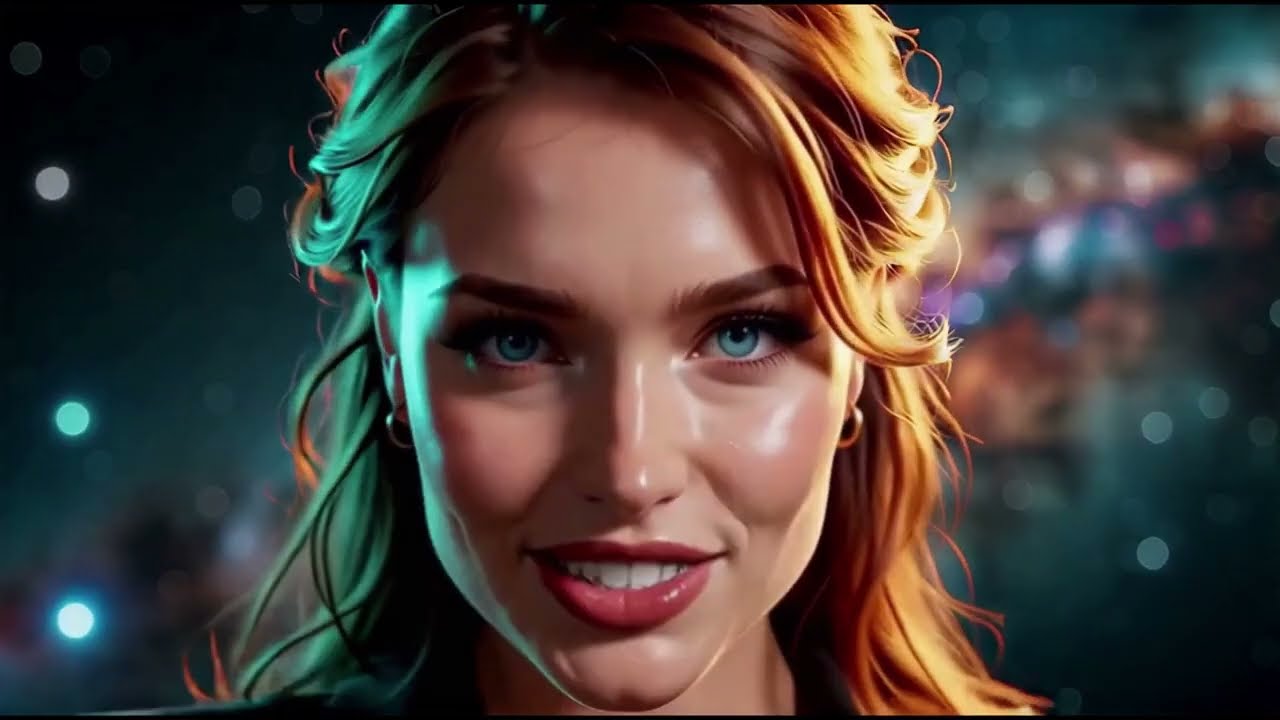
More Than Words Can Ever Steal, a music video by Carasibana, generated with MiniMax H3. Every shot where the subject sits at any distance from camera was face-refined with this pack.
MIT. See LICENSE.
Built with Claude Code.